Visit our official website APAJR Lab


Monday, 13 January 2014

10 WhatsApp Alternatives For Your Smartphone | .::APAJR::.

| |

0 comments
Are you a user of the messaging app WhatsApp? For iOS users, using WhatsApp required a one-time $0.99 fee while Android users get to use it for free, but only for a year. After the first trial year, Android users need to pay an annual fee of $0.99 for the service.

If you are part of the crowd who don’t like paying for messaging apps, we’ve got 10 awesome alternative free messaging apps you can try.


Not only are the following messaging apps the perfect alternatives for iOS and Android users, we also looked into getting alternatives for other mobile operating systems like Blackberry and Windows Phone. This way, you can contact more of your friends regardless of the mobile OS they are on. What was that beep? Did you just get another WhatsApp reminder to upgrade? Time to make the switch.

1. Viber

Viber is very similar to WhatsApp as it uses mobile contact numbers to identify users. You get an access code sent to your mobile number via text message. It’ll then access your address book to see if any of your contacts are connected to Viber; you can then instantly connect with them. Unlike WhatsApp, Viber allows you to call users, provided your smartphone is connected to the Internet.

Platforms: iOS | Android | Windows Phone | BlackBerry | Nokia | Bada


 Viber 


2. LINE

LINE registers your phone number into its database where you can then connect with your phone contacts who are LINE users. An advantage of LINE is that it allows you to reply to messages by installing a PC or MacOS program, provided you register your number with an email account. Besides text messaging, you can call other LINE contacts through the app with an Internet connection.
 
Platforms: iOS | Android | Windows Phone | BlackBerry 


LINE 


3. KakaoTalk Messenger

KakaoTalk Messenger also uses your mobile phone number to send you a 4-digit verification code when you register for an account. It then goes through your contacts to find for other KakaoTalk users, similar to how WhatsApp does it. There is also the ability to start group chats, send pictures or audio notes, and share calendar and contact information. Oh, and it does calls too, to other Kakaotalk users over an Internet connection.

Platforms: iOS | Android | Windows Phone | BlackBerry


KakaoTalk 


4. Facebook Messenger

The Facebook Messenger app for both iOS and Android has been around for some time now and since you’re connected to most of the friends you want to communicate with, Facebook Messenger can be a great WhatsApp replacement. Only drawback is that you can’t use it to communicate with friends who are not on Facebook.

Platforms: iOS | Android | BlackBerry 


Facebook Messenger 


5. Skype

Skype recently merged its contacts with old MSN or Hotmail accounts and its contacts, connecting you to some pretty longtime friends. Nostalgia aside, Skype is not only a great way to call for free, it also allows for text messaging with your contacts. Unlike WhatsApp, you’ll have to approve contacts before you can start sending messages but its reliability and stability makes it a suitable replacement.

Platforms: iOS | Android | Windows Phone | BlackBerry 


Skype 


6. LiveProfile

LiveProfile starts off by asking you to register with an email account. After that, you have the ability to add your phone number where other users can find and contact you. Each account will also be given a LiveProfile PIN, this lets you share that PIN to others without giving them your phone number. It has no calling features but it does have standard messaging features with the abilty to start a group chat and send pictures or videos.

Platforms: iOS | Android | BlackBerry 


LiveProfile 


7. Groupme

Groupme caters to people who want to chat in a group. You log in with your email and then verify your phone number by sending an SMS with a code to the provided number. What’s unique about this app is that it supports group messaging over SMS. So in the event where someone in the group doesn’t have a 3G connection, the person can still receive group messages for a small fee. Each message sent or received will be charged as an SMS sent to the United States.

Platforms: iOS | Android | Windows Phone | BlackBerry 


Groupme 


8. Kik Messenger

You register on Kik with your email address, then choose a unique username to allow other users to find you. The app is very simple and does a good job in sending messages to individuals or group. There are no calling capabilities but you have the overall basic messaging functionality supported on a wide variety of mobile systems, for free.

Platforms: iOS | Android | Windows Phone | BlackBerry | Nokia 


Kik Messenger 


9. ChatON

ChatON is an app created by Samsung and is a basic messaging app with no calling features. However the app has found its way to many other markets or platforms. You can choose to sign in with your Samsung account or skip the process and just enter your name. Verify your phone number and the app will start checking all your onboard contacts to see if any of them are on ChatON. The chat is on when you find fellow ChatON users.

Platforms: iOS | Android | Windows Phone | BlackBerry


ChatON 


10. WeChat

WeChat is one of the most popular messaging apps in China. Similar to how you register with WhatsApp, you start by entering your phone number. An SMS will follow, giving you the verification code. You can then connect your Facebook and email account to let people find you more easily. Other functionalities include sharing pictures, WeChat contacts, your current location, and the ability to video chat through the app.

Platforms: iOS | Android | Windows Phone | BlackBerry | Nokia


WeChat
Read More

Mobile Messaging App Face-Off: WhatsApp Vs. Viber Vs. WeChat | .::APAJR::.

| |
0 comments

This is the generation of ‘smartphone holders’. Yes we are talking about you. If you are reading this, chances are your smartphone is no further than 3 feet from you and you sometimes hear custom notification alerts for your email, messages and updates even when nothing new came in.


WhatsApp Vs Viber Vs WeChat 


For most of us, we have forgone the use of SMS and calls and have depended instead on messaging apps for most of our communication needs. All messaging apps are not created equal. Some are better than others, but the question is which is the best?

We’re here to help you answer that by comparing what we feel are the 3 best messaging apps (so far) out there: WhatsApp, Viber and WeChat. In this showdown, we will be looking at these apps in 5 categories, listed below in no particular order.

Not big on text? Skip the details and go straight to the table recap down below.


1. Supported Platforms & OS

Let’s first take a look at the platforms, mobile OS and devices each app supports.


WhatsApp

WhatsApp is supported on the iPhone on iOS 4.3 and above, and Android phones 2.1 and above. However, you cannot download it on the iPod, any tablet of any OS or on jailbroken or unlocked iPhones (or maybe you can but it won’t be optimized for it).

WhatsApp also works on Blackberry OS 4.6 and above, Windows Phone 7.5 and above and a wide range of Nokia S40 and S60 phones. However, it is found lacking in the desktop support department.

WhatsApp 

WhatsApp is a paid app, going for a one-off $0.99 for iOS, while on other phones, it is free for a year and will cost $0.99 per year of subsequent use.

Supported Platforms: iOS | Android | Windows Phone | BlackBerry | Nokia S40 | Nokia Symbian


Viber

Viber is supported above iOS 4.3, Android OS 2.0, Windows Phone 7, as well as on Blackberry OS5 and OS7, Nokia S-40 and S-60. Viber also works on Bada and has recently been made available for desktops (Mac OS 10.7 and above, Windows) via Viber Desktop. This means that you can make a call to friend who has Viber on their computer.


Viber 


Viber is a free app with no ads so if you are allergic to ads, you are going to love Viber.


Supported Platforms: iOS | Android | Windows Phone | BlackBerry | Nokia | Bada | Windows | Mac


WeChat

WeChat is supported above iOS 4.3, Android OS 2.0, Blackberry OS 5.0, Windows Phone 7.5 and until recently Nokia S40 (beta). To add to that the Web Chat feature lets you chat with a friend on the desktop browser; linking is done with your device via QR Codes.


WeChat 


Web Chat also lets you send files to your device and there is a handy browser plugin called Web Grab that lets you shake webpages from your desktop browser into your phone.
Like Viber, WeChat is also a free app.

Supported Platforms: iOS | Android | Windows Phone | BlackBerry | Nokia | Web WeChat


Conclusion

All 3 messaging apps are supported on iOS, Android, Windows Phone, BlackBerry and Nokia. However, WeChat has a web app which allows you to send WeChat messages from your browser. Viber also offers cross-platform desktop solutions for both Windows and Mac letting you not only text friends on smartphones but also make calls to them.
We would say Viber is a few steps ahead of WhatsApp and WeChat, in terms of supported platforms.


2. Messaging & Communicating features

Now we’ll take a look into each app and what they have to offer.


WhatsApp

With the use of an Internet connection you can send text, photos, video clips, your location data (that opens up on Google Maps), audio clips as well as a friend’s contact to another friend via WhatsApp. It does not however support voice calls.


WhatsApp also allows group chat (max: 30) and the use of a massive pile of Emoji.


Viber

Viber has voice calls using 3G or Wi-Fi on top of being able to send text, photos, videos and location data. With the recent update of Viber Desktop, you can even make calls to a friend on a desktop.
To have Viber work on your desktop you need to first have Viber on your smartphone. Once it is set up, you can even swap an ongoing Viber call on your smartphone to the desktop and back, seamlessly.


Viber 


Its built-in custom emoticons and stickers (larger versions of emoticons) are something extra for users who prefer using images while chatting. Group chat is supported for up to 39 people.


WeChat

Apart from sending text, pictures, videos, audio clips, location data and contact details, WeChat also supports Video Calls, and also Live Chat where you can communicate with a friend in a walkie-talkie fashion. WeChat is also the only app with a few social add-ons that let you make new friends randomly.


WeChat 


Look Around lets you make friends with people by proximity. Shake is the roulette style of engaging with a random stranger and if you aren’t big on talking, just use Drift Bottle to cast messages into the open sea in WeChat for others to read. If you don’t want to use these social add-ons you can disable them under Settings > Feature.

Group chats can be initiated via QR codes which you can email up to 40 friends to join in and chat. And it also comes with built-in stickers and custom emoticons for you to use.


Conclusion

All 3 apps allow you to send text, photos, videos and location data – ‘basic functions’ as it is also found in other messaging apps. You certainly can have more fun on WeChat as it comes with a wide variety of communication and social features built to expand your networking circles.
Viber and WeChat also support voice calls if you want to make free calls with your friends or family members, however, if you just want to contact your friends via text messaging, WhatsApp will suffice.


3. Privacy & Security

These apps use the contact list on your device to determine which of your contacts are already using the app so you can begin chatting with them. Here’s how they work.


WhatsApp

WhatsApp requires a valid phone number to register for the service. When it is registered on your device, WhatsApp will scan your device’s contact list to determine who are already on WhatsApp. You can send messages to WhatsApp friends without any sort of ‘contact approval’.
This also means, whoever has your number can also WhatsApp you but you can block them by going to Settings > Chat Settings > Blocked. This will ensure that you do not receive messages from them. Others can also see when you’re online or the last time you used the app, but you can turn this feature off under Settings > Chat Settings > Advanced.


The 2 green ticks in a personal (not group) conversation determines if your messages have been delivered to them, but you have no way of knowing if they have read your message or not.


WhatsApp only works on one number and one device although there is an option to re-register a new phone number to your existing WhatsApp account. WhatsApp encrypts your messages as you send it so it is harder for the message to be intercepted by a third party.


Viber

Like WhatsApp, you’ll need a mobile number to validate Viber; the access code is sent via SMS. Viber instantly integrates with your own contact list on your device so you can message them via the app. People with your contact number can see if you’re currently online, or the last time you opened up Viber. You can turn this off under More > Settings > Online Status but note that doing this means you can’t see their online status too.

Viber uses Google Analytics to track information like IP Address data storage and maintenance services (among others) of its users. If you don’t like this, you can turn it off at More > Settings > Collect Data.


WeChat

Like the former two, WeChat also requires a mobile number and will notify other users that you are on WeChat. It will then scan your contact list but in order to begin chatting with people, you’re required to send them a contact request by tapping the Add Contact button. They’ll then have to approve your request before you can start chatting.

When you use WeChat’s social add-ons, WeChat users who are not on your contact list cannot see your phone number. If you don’t like to share your phone number but want to chat with these users, you can use a WeChat ID or QR Name Card to mask your identity.

There are many privacy options for Friend Verification, Block List, Moments Feed and more. You can change all of these under Settings > Privacy to ensure your information is safe.


Conclusion

Although you can turn off Google Analytics on Viber, it poses a privacy issue for those who don’t know about this default data collection mode (but now you do).

WeChat offers a lot of social features but provides privacy settings to disable them, and the requirement of adding a contact means random people cannot message you. But if you purely want a messaging app just to contact the friends you already have on your Contact list, for free, then stick with WhatsApp.


4. Backup Options

Before you commit to using a primary messaging app, you should think about the backup options available on each app to keep your precious messages.


WhatsApp

The backup process on WhatsApp is different on each device but essentially the chat history is saved on the device on a daily basis for Android, Windows Phone and Nokia. To transfer all your chat history to another device (imagine that you got a new phone) on the same OS, you can manually backup your chat history before transferring it to your second, newer device.
For the iPhone and Blackberry you can opt to email your conversation to yourself to store as a makeshift chat history. This also works on the Windows Phone.


Viber

Viber has a simple backup feature where it will compile each conversation you have into separate .CSV files. It will then zip all these conversations and attach it onto an email which you can send out (to yourself).


Viber Backup 


However, only text is backed up, all your audio and video clips aren’t. This is good for storing your messages on your computer but doesn’t allow you to restore it to a different device.


WeChat

WeChat has the best backup options that easily allows you to transfer your chat history to another device. It allows you to select the conversation history you want to save to their server for 7 days. You can set a password to back it up. Once you’re logged into another device, you can tap on ‘Restore’ to get all your messages back. There is no option to export your chat history though.


WeChat Backup 


Conclusion

It boils down to your needs, if you find yourself changing devices a lot then WeChat gives you the option to easily do that without losing any chat history. Viber keeps it simple by backing up only text (no media) and if you are opting for WhatsApp, we suggest you have a look at their FAQ page for more backup instructions for your OS and device.


5. Popularity Counts

It would appear that WeChat has the most functionality and features to offer among the three while Viber has more support on more platforms, leaving WhatsApp as only a basic messaging app that works for smartphones (and one you have to pay to continue using).

But ask around and it’s probably that more of your friends are using WhatsApp rather than WeChat or Viber.

WhatsApp had the advantage as it was released earlier than the other two apps, hitting the smartphones in September 2011, while Viber was released in Dec 2012 as a direct competitor to Skype. Both reported having 200 million users in April and May of this year. In comparison, WeChat may have 400 million registered users but only around 50 million of them are outside of China.


Which Is Right For you?

If you want to meet new people for business or leisure, then WeChat is definitely for you. It is almost like a standalone social network app which allows you to connect with people outside of your contact list and is enjoyed by many teenagers. It’s Hold to Talk feature is also gaining popularity as some people like to communicate by talking instead of the slower text messaging.
You would like Viber if you’re constantly working on a Windows or Mac computer as you can quickly send messages to friends on smartphones, without having to pick up your mobile device. It’s also great for business purposes with its ability of high quality voice calls.
However, WhatsApp is still the app to have mainly because most people have this "old" app. But due to its limited functionalities and it being a paid app, you may need to find alternative methods to contact your friends. What good is a messaging app if you paid to use it but your friends don’t want to? It’s always good to install a free alternative just to keep close contact with buddies.


Conclusion

As a conclusion, these 3 apps are amazing tools for communication offering more than a regular SMS service, without the need to pay for sending messages. However, these messaging apps may face competition from the rise of Facebook Messenger, Hangouts (formerly known as Google Talk) and Skype which could possibly replace these apps later on.
Would you want us to pit FB Messenger, Hangouts vs Skype? And which messaging app are you on? Let us know in the comments.


Recap: Comparison Table


Here’s a quick recap neatly packed for your reference:


WhatsApp
WhatsApp 

Viber
Viber 

WeChat
WeChat 

Supported OS
  • iOS
  • Android
  • Windows Phone
  • BlackBerry
  • Nokia S40
  • Symbian
  • iOS
  • Android
  • Windows Phone
  • BlackBerry
  • Bada
  • Nokia
  • iOS
  • Android
  • Windows Phone
  • BlackBerry
  • Nokia S40
Price
  • $0.99 (iOS)
  • $0.99/year for other devices
FREEFREE
Communication Features
  • send text, photos & videos
  • location data
  • audio clips
  • contact details
  • send text, photos & videos
  • location data
  • make voice calls
  • send text, photos & videos
  • location data
  • audio clips
  • contact details
  • make video calls
  • Live Chat (Walkie-talkie)
Desktop Compatibility
  • Mac & Windows desktop app
  • Text & video calls
  • Supports Web Chat with desktop browser
  • Transfer files to device
Social Add-OnsMoments Feed, Look Around, Shake, Drift Bottle
EmoticonsStandard Emoji keyboardCustom emoticons, StickersCustom emoticons, Stickers
Group Chat30 Participants39 Participants40 Participants
Backup OptionsManual backup and restore only for Android, BlackBerry and NokiaBasic text backup attached to emailEasy backup and restore, cross-platform
Reported Users200 million active users200 million registered users195 million active users
Customer ratings on Apple App Store
(May 2013)
99k ratings, 4.5 star average76k ratings, 4.5 star average11k ratings, 4.5 star average
Read More

Monday, 30 December 2013

Blogger Notification Bar! | | .::APAJR::.

| |
0 comments


Looks like the new year is near! Out of the premium sets of design resources in our repository, we often share one of them as a freebie when the occasion is precious. There are many creative premium widgets, tools and plugins that we managed to develop this month for our regular clients and out of these I will be sharing just two such resources as a new year gift. They are: (1) Blogger Notification bar widget that you can see live on our blog at the top and (2) a Blogger Template entitled "Rajeev" which is far better than any of the templates we designed so far and makes us really jealous when we compare it to our current design of APAJR  blog itself!


Copyright

Bloggers and developers are hereby advised not to sell or redistribute the widget codes. You are also instructed not to remove MBT's watermark from the notification bar. Removing the watermark will break the entire code, leaving all your efforts in vain.
Premium version includes no watermarks. If you wish to buy the widget for Wordpress, Joomla or even Blogger Blogs, then you may kindly contact us via our services page.


What's New in it?

This notification bar works best by grabbing readers attention and helps you to focus readers towards important deals, announcements or any story. It functions on pure JQuery light-weight functions and is compatible with all major browsers including IE9.
Custom, unique and non-commercial plugins are always better then public designs. HelloBar is now too common and used everywhere and you may not like the limited design customizations offers provided by them along with their logo on the plugin. HelloBar also requests URL redirection and you need to register to use it. Scripts are stored at Hellobar server and the browser needs to send a request in order to display it on your blog or site. Really not appropriate if you don't like redirections and attribution links.
Blogger Notification bar requires no registration and provides far better design flexibility. The scripts are less than 6KB in size and fully hosted at your server.  You can change its look and theme to any color that may blend your layouts. Every single element is well structured and can easily be configured. A perfect tool to play with.
I will be always available to provide any help required here on this page.


Installing Notification Bar on blogger

You may follow the easy steps mentioned below in order to add the widget to your blogger blogs. Same procedure will work for any other platform like Wordpress.
  1. Go To Blogger > Template
  2. Backup your template
  3. Click Edit HTML
  4. Search for <head>
  5. Paste the following scripts just below it:


6.   Next search for ]]></b:skin>

7.   Just above it paste the following styles:


Make these Design changes if you wish:

  • To change the background color of the bar simply edit #2E2F2E
  • To change text color edit #cccccc
  • To change hyperlink color edit #FFFC00
  • To change anything else, just post me your query in the comment form below! :)


8.  Finally to make the bar appear just add the following code below <body>


9. Save your template and you are all done!

Creating links  

To create links inside the notification bar use the following code:


You must add the class='link' , which is required by the script.

Need help?

This plugin would work just fine if all the above steps are carefully followed. The steps are extremely easy to try. I just hope you find it worth using. If you ran into any technical problem just feel confident to leave your comments. I would love to help you out. Wishing you all the best of life buddies. Peace and blessings pals! :)
Read More

Tuesday, 24 December 2013

WinRAR 5.1 (FULL Cracked) | .::APAJR::.

| |
0 comments
                                          WinRAR 5.00 (FULL Cracked)         


 “WinRAR is a powerful archive manager. It can backup your data and reduce the size of email attachments, decompress RAR, ZIP and other files downloaded from Internet and create new archives in RAR and ZIP file format. You can try WinRAR before buy, its trial version is available in downloads.”


WinRAR benefits


• Using WinRAR puts you ahead of the crowd when it comes to compression by consistently making smaller archives than the competition, saving disk space and transmission costs.

• WinRAR provides complete support for RAR and ZIP archives and is able to unpack CAB, ARJ, LZH, TAR, GZ, ACE, UUE, BZ2, JAR, ISO, 7Z, Z archives.

• WinRAR offers a graphic interactive interface utilizing mouse and menus as well as the command line interface.

• When you purchase WinRAR license you are buying a license to the complete technology, no need to purchase add-ons to create self-extracting files, it’s all included.

• WinRAR is easier to use than many other archivers with the inclusion of a special “Wizard” mode which allows instant access to the basic archiving functions through a simple question and answer procedure. This avoids confusion in the early stages of use.

• WinRAR offers you the benefit of industry strength archive encryption using AES (Advanced Encryption Standard) with a key of 128 bits.

• WinRAR supports files and archives up to 8,589 billion gigabytes in size. The number of archived files is, for all practical purposes, unlimited.

• WinRAR offers the ability to create selfextracting and multivolume archives.

• Recovery record and recovery volumes allow to reconstruct even physically damaged archives.

• WinRAR features are constantly being developed to keep WinRAR ahead of the pack.

ENJOY this FULL Woring Pre-cracked Software, WinRAR 5.00 for both 32 and 64 bit Windows users.


Download Password Here


                                                              Download WinRAR 5.1


                                             bit.ly/1cR4Y7K           
            

                                                               Download WinRAR 5.00

bit.ly/1cR4Y7K


                                                              Download Winrar 4.65
                                                                  
                                                                       
http://www.datafilehost.com/d/738c6eca


Read More

Sunday, 15 December 2013

Download Usb Disk Security Latest Version With Username and Serial Key | .::APAJR::.

| |
0 comments

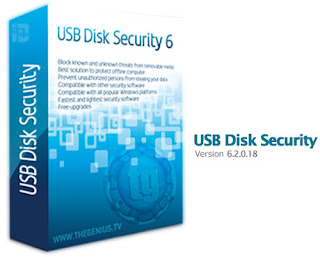
                                        USB Disk Security 6.2.0.18 

File Version:
USB Disk Security 6.2.0.18 Final Version

USB Disk Security is the Powerful Utility Software that can remove the threats and malwares and compromise your Personal Information Via USB Storage.USB Disk Security Gives 100% protection against any malicious programs and threats via USB drive.It scans your USB Drives and any virus is there in that drive at the starting it removes Virus from that drive and gives the full protection to your personal Computer or Laptop .Here Today We are Providing the Full Version of Usb disk Security Latest Version that compatible with the windows all versions with username and serial key.

Actual Price for one licence is $55USD. But we are give away this software with perfectly working serial keys .

Download :-
You can download From here ..:USB Disc Security.

Serial key :-
After Downloading the Software enter the registration details as  shown in the Below Image.
Read More

MS Office Professional 2003 Free Download Full Version | .::APAJR::.

| |
0 comments
MS Office Professional 2003 Free Download Full Version


Microsoft Office Professional 2003 is a great office software that's include MS Word, MS Excel, MS Power Point and MS Access to work perfectly and efficiently. Microsoft Office 2003 Professional provides all its powerful tools and programs in one single pack. Insert images and design your sheets, letters, slides and database with Office 2003 professional. The more languages and more help-support are available for beginners to go ahead in the world of information technology.

Microsoft Office Professional 2003 is an older version of Microsoft office but it works perfectly in windows. Microsoft Office Professional 2003 gives the many features and tools to its customers and users to use Microsoft Office Professional 2003 as a default office manager. Microsoft Office Professional 2003 integrates all the office popular products like Microsoft Office Word 2003, Microsoft Office Excel 2003, Microsoft Office Power Point 2003, Microsoft Office Access 2003 and many other different tools.
Microsoft Office Professional 2003 provides encryption and more security features for the safety of documents. The user can easily password protect all his important documents with Microsoft Office Professional 2003. Microsoft Office Professional 2003 provides better printing option for all the size of papers so it makes the user to easily takes print of there documents easily and quickly. There are recommended Microsoft Office downloads available Microsoft Office 2007 EnterpriseMicrosoft Office 2010 Professional and Microsoft Office 365 Home Premium 2013 for free download.

Microsoft Office Professional 2003 is a complete office package to grow your business online or offline. It provides many functions and advantages to its users like keyboard shortcut keys, powerful tools, wide range of font collection, security and encryption to secure the important data of the professional users, image editing, printing settings, design your CV and letters, make stylish sheets in Microsoft Excel professional 2003, make beautiful slides in Microsoft Power point 2003, design and save your large database files in Microsoft Office Access 2003 professional.

Microsoft Office Professional 2003 has 3 Service Packs:

Microsoft Office 2003 professional includes the following all products to help and start your small business with office and grow it day by day.
MS Office Professional 2003 Free Download Full Version

Application Details:


Size: 321.88 MB
Version: 2003
License: Free to Use
Author: APAJR RRS

MS Office Professional 2003 Free Download Full Version
Read More

Microsoft Office 2003 Professional Edition Full Version With Serial Key Free Download | .::APAJR::.

| |
0 comments


Information:

Manage your entire business with Microsoft Office Enterprise 2003. This product includes all of the user-friendly business.
software included with Microsoft Office Professional 2003. In total, the applications include:

1:Microsoft Office Excel 2003to analyze your business information, create 
spreadsheets, and track time, costs, resources, and people.
2:Microsoft Office Word 2003 to create, manage, save, and edit documents.
3:Microsoft Office Publisher 2003 to produce professional publications.
4:Microsoft Office Outlook 2003 with Business Contact Manager to manage customers, contacts, and sales.
5:Microsoft Office PowerPoint 2003 to create dynamic sales presentations.
6:Microsoft Access 2003 to create a database and then filter, sort, graph, and visualiEdit HTMLze business information.
7:InfoPath 2003 to lower the cost of executing business transactions and processes with advanced electronic forms technologies.

Instructions:

*Download both files.
*Create new folder.
*Copy both files in this folder.
*Extract both files with WINRAR.
*Enjoy.

 MS OFFICE 2003 PART 1

MS OFFICE 2003 PART 2


Information:

Manage your entire business with Microsoft Office Enterprise 2003. This product includes all of the user-friendly business.
software included with Microsoft Office Professional 2003. In total, the applications include:


1:Microsoft Office Excel 2003 to analyze your business information, create spreadsheets, and track time, costs, resources, and people.
2:Microsoft Office Word 2003 to create, manage, save, and edit documents.
3:Microsoft Office Publisher 2003 to produce professional publications.
4:Microsoft Office Outlook 2003 with Business Contact Manager to manage customers, contacts, and sales.
5:Microsoft Office PowerPoint 2003 to create dynamic sales presentations.
6:Microsoft Access 2003 to create a database and then filter, sort, graph, and visualiEdit HTMLze business information.
7:InfoPath 2003 to lower the cost of executing business transactions and processes with advanced electronic forms technologies.


Instructions:

*Download both files.
*Create new folder.
*Copy both files in this folder.
*Extract both files with WINRAR.
*Enjoy.

 MS OFFICE 2003 PART 1

MS OFFICE 2003 PART 2

- See more at: http://softwaregalaxy786.blogspot.in/2013/08/microsoft-office-2003-professional.html#sthash.EXtN16Es.dpuf
Read More
Powered by Blogger.
